"A character earns his place by showing up for work, week after week." Professor Synapse
Over four posts we built a character: Professor Synapse, our AI avatar. The first post made the case for turning our logo into a living character. The second showed how he learned to move from a library of reusable moves, the third covered what makes a move read on screen, and the fourth showed how AI agents did much of the building while people made the calls.
This last post is about his job. A character is only worth the effort if he appears often, so we built two ways to put the Professor into short videos without starting from scratch each time. One starts from the voice of a team member (not AI). The other starts from a blog post, like this one.
What an animated explainer video is, and the kind we make
An animated explainer video is a short video that uses animation to explain one idea clearly: a question, a method, a number that matters. Ours are vertical shorts for YouTube Shorts and the social feeds, and the Professor is in every one.
There are two kinds:
- Voice shorts. Joseph records himself talking through one idea, and the short is his edited voice with captions and visuals while the Professor talks along.
- Blog shorts. A silent companion of 30 to 90 seconds for a blog post: on-screen text, the Professor and music, with every word drawn from the post.
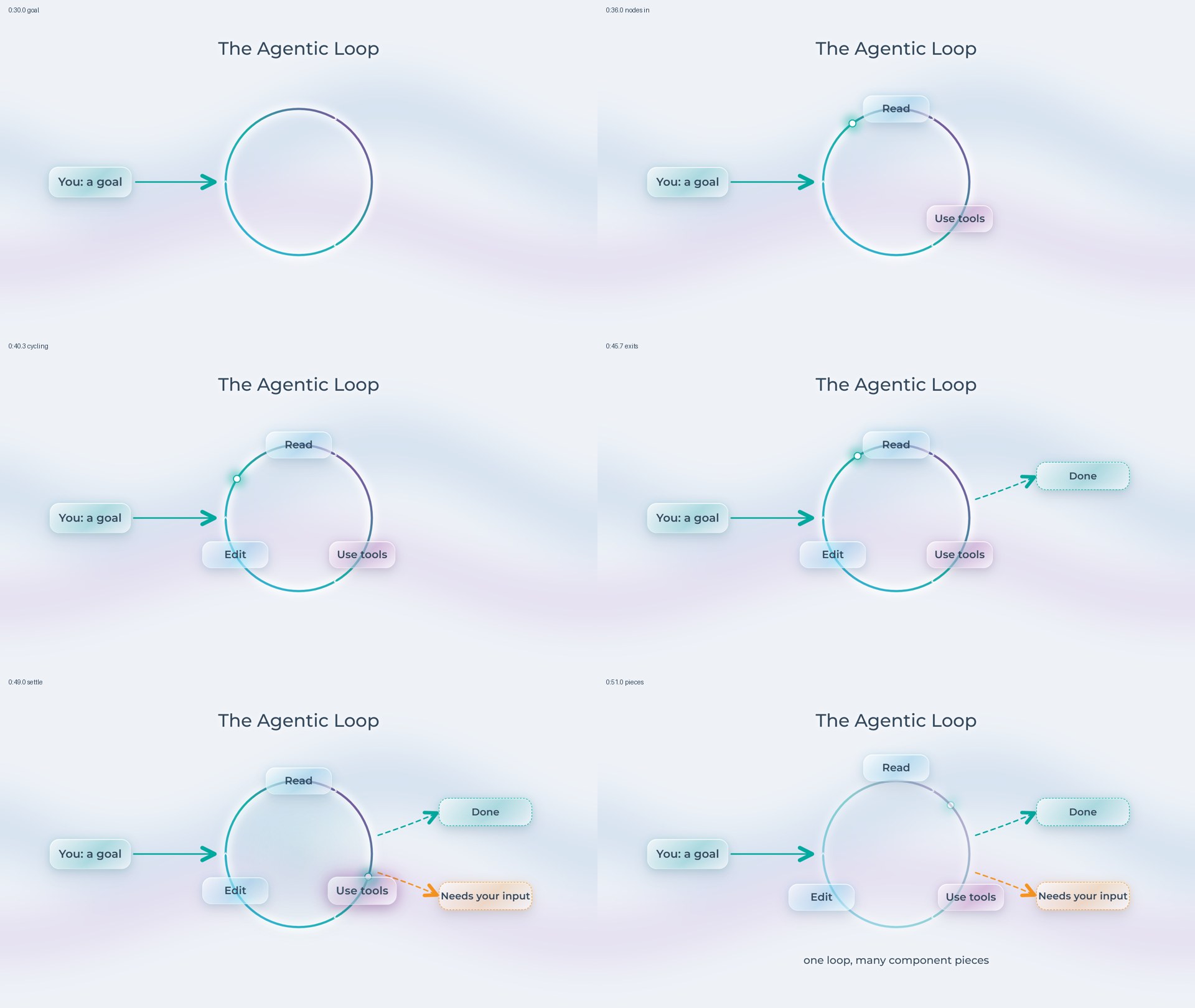
Both draw on the same kit. There are 12 short templates, among them a hook, a list, a comparison, a chat window and six data templates for things like a single stat or a simple chart. There are 9 ready-made diagram animations for ideas that need to move on screen, such as a loop or a pipeline. And there is the Professor himself, who has 60+ ready-made moves and 10+ effects. Because the parts already exist, making a new short is mostly a matter of choosing which parts to use and when.
Route one: from a voice recording to a short
We record, and nobody touches the recording. We record in something like Descript, retakes and all, apply Studio Sound (Descript's voice clean-up), and hand over the file. From then on, the recording is never changed. The edit is a list of which pieces to keep, and the video plays those pieces back, so the original is always there to go back to.
The edit happens on a transcript. The recording is transcribed with a timestamp on every word. A script cuts the fillers (um, uh, hmm) and shortens any pause longer than about half a second. Then an AI agent reads the transcript for the cuts that need judgement: a line said twice (keep the best take, usually the last complete one), a sentence abandoned halfway and restarted, a stray aside. Joseph gets a summary of every cut and a preview of how the edit sounds, and approves it in his own words before anything else happens.
Everything is timed to the words. Once the edit is approved, every word has a place on the timeline, and the rest follows from that:
- The captions appear phrase by phrase as he says them, on one line near the bottom, clear of the app's own buttons.
- The Professor's talking follows the loudness of the voice, frame by frame, so he talks when Joseph talks and rests when he pauses.
- Visuals land on the spoken cue. A list item appears as Joseph says it, and the Professor can count along on his fingers.
- The music sits well under the voice, so it fills the pauses without competing with the words.
The storyboard comes before the build. The short is split into beats of a few seconds, one point each. The first beat is the hook, and it lands its point inside three seconds. Each beat gets a template or a diagram animation, a move from the Professor's live list, and enough time on screen for every word to be read. Joseph approves the storyboard, and later the render, before the short moves on.
Under the hood: every transcript comes from one service, AssemblyAI, every time. The caption timings and the beat plans all rest on its word timestamps, and mixing in a second transcription tool would quietly shift them. The video itself is built in Remotion, the same tool behind the Professor.
We already use the same timing in our course videos, where the Professor doesn't appear.
What testing taught us. We ran the whole voice-short process end to end thirteen times, on two of Joseph's recordings: one about writing better prompts, one about why AI forgets. Some early renders were rejected for things an automatic check had passed. On one closing beat, the Professor's waving hand reached past the edge of the frame; in another run, a chat reply streamed in too fast to read. Each fix went into the checks, so the same mistake gets caught next time. On the thirteenth run, the first render passed with five small polish notes.
Blog to video: a companion short for every post
When we asked AI for the blog animator, we described it as a short "60 second or so animation to put on social media and a YouTube short." It doesn't animate the whole blog. Think of it as a trailer for the post that works with the sound off. Here is how a post becomes a short:
- The post is the only source. The agent pulls the title, the post's keyword, its three strongest ideas and its closing call to action. It adds nothing the post doesn't say.
- The storyboard follows a simple shape. A hook of about 3 to 7 seconds, then one to three points, then a call to action of about 5 to 8 seconds: "Read the full post", plus "Book a call" when the post offers our help. The links go in the video's description. The whole short runs 30 to 90 seconds, sized to the content: we never pad it to hit a target or rush a point to squeeze under one.
- The words do the talking. There is no voice, so the text carries every beat. Each screen holds about 12 words at most, and each word gets time to be read, roughly three words a second plus a pause to take it in. Headlines use the post's own words, shortened.
- Nothing new sneaks in. The storyboard includes a table that traces every line on screen back to the sentence in the post it came from. A checker fails the storyboard if any number on screen doesn't appear in the post.
- Humans approve the storyboard first. No music is generated and nothing is built until a person says yes in words.
- One house track, fitted to the cut. Every blog short uses the same music track for a consistent sound, trimmed and faded out to end exactly on the last frame.
- Render, review, hand off. The agent checks the render against the storyboard's list of good and bad, such as whether every word reads at phone size, makes a small preview for a phone, and shows Joseph. Once he approves, it goes to publishing with the blog link in the description.
Under the hood: the blog animator needed no new video code. The player built for voice shorts could already play a short with no voice, no captions and music as the only sound track. The new work was the process around it: the storyboard shape, the reading rules, and the checker that holds every number to the post.
Animated explainer video examples for your organization
These are ideas rather than case studies, but each one uses a route above.
- A mascot for a campaign. A character for a fundraising drive or an awareness month appears in every short of the campaign, looking the same each time, so people connect the videos to each other and to you.
- Explainer shorts from your own experts. Your program director or clinical lead records a minute on a question people ask all the time. It becomes a captioned short, with your character reacting on the right words and the main point on screen.
- Animated companions for your content. A blog post, newsletter feature or report summary gets a short that points back to it, built from its own words.
- Training and onboarding. Diagrams that build themselves as the trainer talks, the way our course overlays do.
Honest trade-offs
Turnaround depends on people, not the machine. A voice short has three approvals: the edit, the storyboard and the render. A blog short has two: the storyboard and the render. Each one waits for a person to look and say yes.
Review time is the real cost. Someone has to listen to the edit, read the storyboard and watch the render. The automatic checks catch mechanical problems, like a hand leaving the frame or a number that isn't in the post. They can't tell you whether the idea lands. That takes a person who knows the audience, which is why people approve every stage while the agents do the repetitive work.
Sometimes a template is enough. Most beats in our shorts reuse a template and a move the Professor already has. If you need one promo clip, a simple template or a still graphic may be the better call. As we said in the first post, build a character when you expect to use it every week, not every year.
The words have to be good first. A blog short is only as clear as the post behind it, and a voice short is only as clear as the recording. The process never adds claims, so it can't rescue a muddy message.
How to make an animated explainer video for your own organization
If you're thinking about shorts like these, start small.
- Pick one thing you already publish regularly, such as a weekly post, a newsletter, or a question clients or donors keep asking.
- Write the one thing a viewer should walk away knowing. If you can't say it in a sentence, the short won't either.
- Sketch three beats on paper: a hook, one point, and the next step you want viewers to take.
- Decide who approves. Name the person who will say "that's right" or "that's not us" at each stage.
- Decide whether you need a character at all. Templates and text can carry a short on their own.
That's the end of the series. We started with a logo and finished with a character who has a job: turning what we already say and write into short videos. It's how we approach any AI project: map the work, train the team, build what fits.
Want a character like the Professor for your organization, or animated explainers built this way? Let's talk. We can look at what you already publish, where a short would help, and whether a character, a set of templates or neither is the right fit. Book an AI Opportunities Discussion.
Frequently Asked Questions
What are animated explainer videos?
An animated explainer video is a short video that uses animation to explain one idea clearly, often with a character as the guide. Ours are vertical shorts made either from a voice recording or from a blog post, with Professor Synapse in every one.
How do you make an animated explainer video?
Start with the one point the viewer should take away, then plan a few short beats: a hook, one to three points and a clear next step. We build ours from reusable templates and a character with ready-made moves, and a person approves the storyboard before anything is built.
How much does an animated explainer video cost?
It depends mostly on whether the parts already exist. Building the character and the templates is the big up-front cost; after that, each new short reuses them, so the cost per video falls the more you make. The other real cost is the review time of the people who approve each stage.
Can you turn a blog post into a video?
Yes. Our blog animator turns a post into a silent short of 30 to 90 seconds, with on-screen text, the Professor and our house music track. Every word on screen comes from the post.
How long should an animated explainer video be for social media?
Long enough for its content and no longer. Our blog shorts run 30 to 90 seconds, the hook lands within the first few seconds, and each screen holds about 12 words at most so it can be read on a phone with the sound off.
Do you need a mascot to make animated explainer videos?
No. Templates and simple diagrams can carry a short on their own. A mascot pays off when you publish often and want viewers to recognize you at a glance.