"Teach a character ten good moves, and he can tell a hundred stories." Professor Synapse
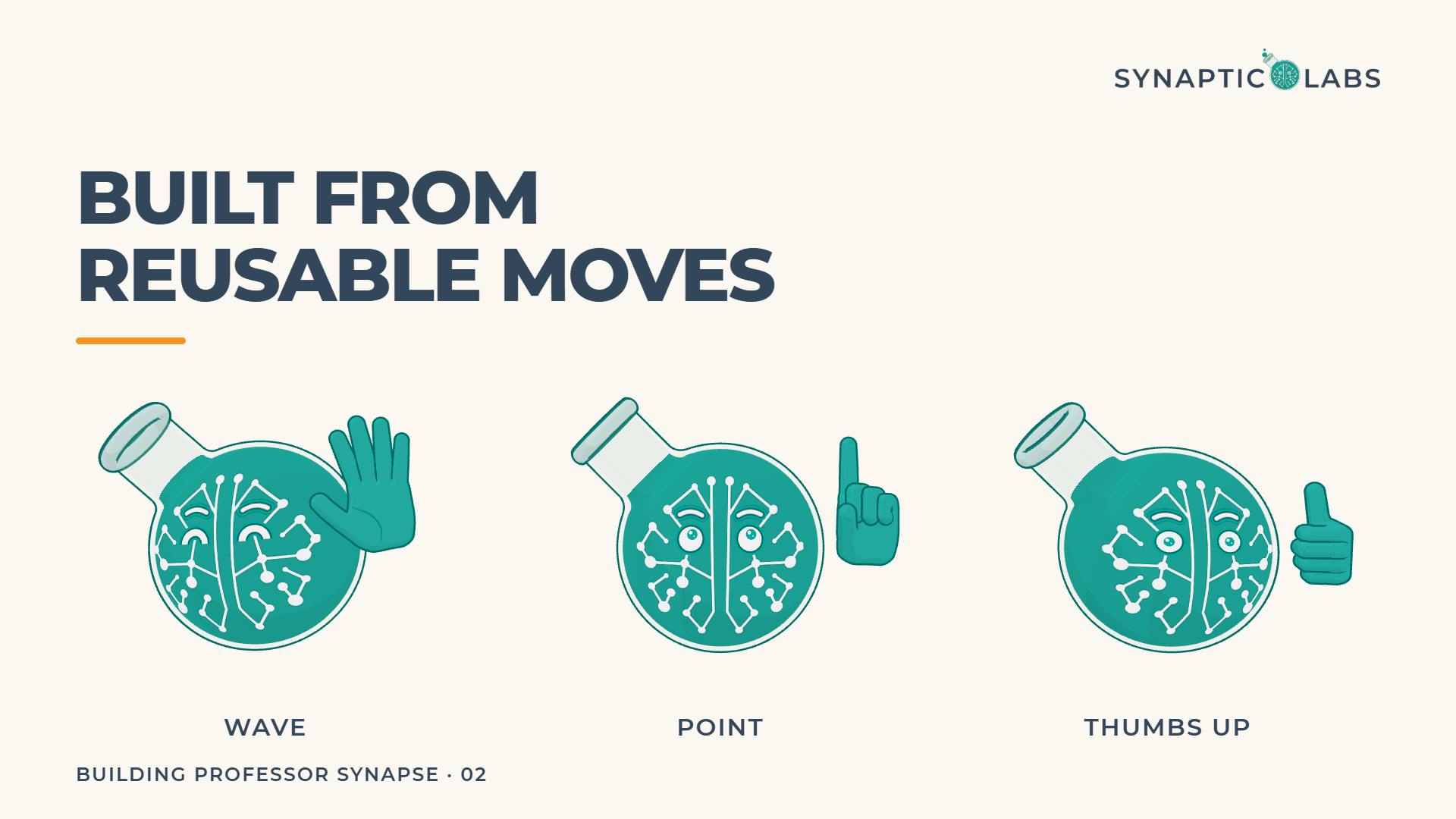
When the Professor waves hello, points at a checklist and gives a thumbs-up in one of our videos, nobody animated that scene. Each of those actions was built once and saved after it passed its checks. The video asks for them by name, in order.
This is the second post in our Building Professor Synapse series. The first post covered why we turned our logo into a character at all. This one covers how our 3D AI avatar moves: a library of reusable moves, building blocks for his hands, face, props and effects, and one file that holds every setting. This post skips the code and sticks to the ideas, which apply well beyond cartoons.
Character rigging in plain words
Animators call a character built for movement a rig. Think of a puppet with labelled strings. Each string controls one thing, and pulling it by a set amount always has the same result.
The Professor's strings are named settings. Some decide where his eyes look and when he blinks. Others set how high his brows sit, how full his flask is, how fast his bubbles rise, how far he leans, and which pose each hand holds. Character rigging is the work of building those strings so they behave predictably.
Strings alone are not animation, though. Somebody still has to decide which string to pull, when, and how hard. In a traditional studio an animator makes those calls for every shot. We wanted to make them once for each idea and then reuse the result.
A 3D character animation library that works like vocabulary
So we gave the Professor a vocabulary. Each move in his library is a short, named piece of animation: wave, point, ponder, rock on, push-ups, plug in, shrug, clap. As of late September 2026 he has 63 ready-made moves:
- Gestures (23), from a wave and a thumbs-up to counting on his fingers, a chef's kiss and holding up a clipboard.
- Reactions (11), such as mind blown, eureka, facepalm, celebrate and the lightning strike.
- Stage moves (9) for getting on and off screen: popping in, hopping in from the side, peeking, and waving goodbye.
- Body moves (6): nodding, shaking his head, filling up, push-ups, dancing, and jumping onto a crate.
- Bubble shapes and bubble moods (7 each), which change the bubbles rising from his neck. Shapes turn them into question marks, hearts or music notes. Moods such as fizz and sleepy change their tempo and style.
He also has 6 emotions: happy, laugh, surprised, confused, oops and sad. More on those below.
One rule makes the whole library work. Every move starts from the same resting pose and ends back at it: the Professor standing still, hands put away, looking at you. Because every move begins and ends there, any move can follow any other. A wave can lead into a point and then a thumbs-up, in any order, with no awkward jump between them.
That is why vocabulary is the right comparison. You don't invent a new word for each sentence. You learn words and combine them. When we plan a short video, the plan names the Professor's moves at the moments they happen, the way a script lists lines. He says the new sentence with words he already knows.
The rule is checked automatically. Each move plays in a test, and the Professor has to finish exactly where he started, with both hands away. A move that leaves him slightly off balance fails before anyone watches it.
Hands, faces, props and effects: the building blocks
Moves are made from smaller pieces, and most of the reuse happens at that level.
Hands. Each hand has 38 poses, among them a point, a fist, an OK sign, a thumbs-up, the horns for rock on, and a grip for holding a plug. Each pose is written once for one hand and mirrored for the other, so every gesture works on either side.
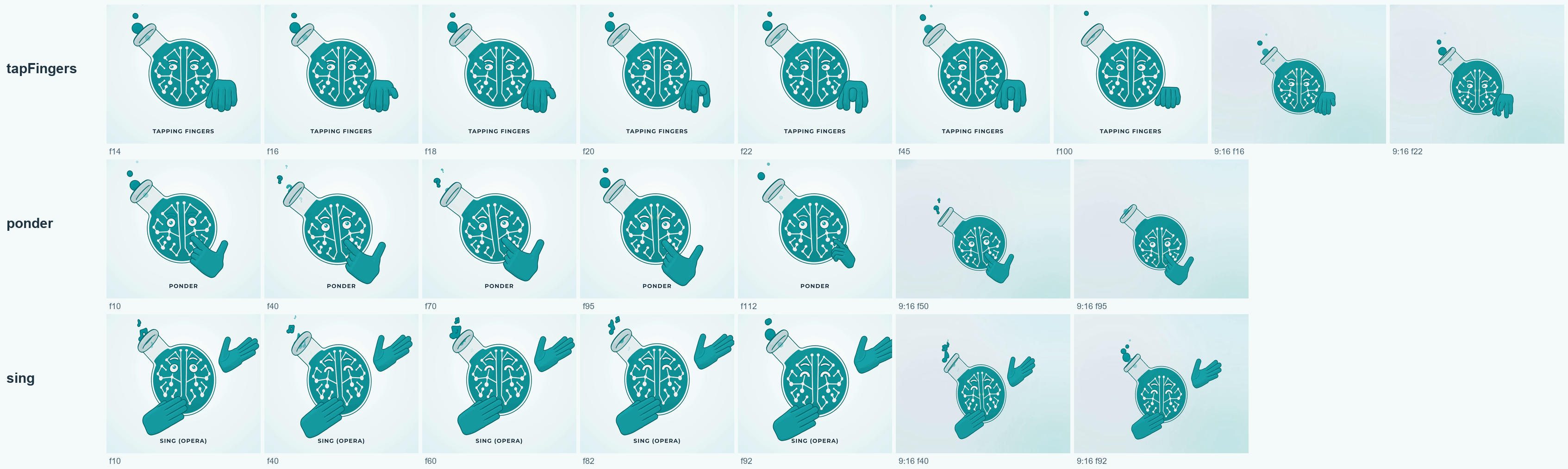
Faces. Emotions work on his face and body only: his eyes, brows, bubbles, the glow of his circuit brain, and how he tilts or hops. They never touch his hands. That means an emotion can play on top of any gesture. He can count to three on his fingers and look surprised halfway through, and neither piece had to know about the other. Bubble shapes and moods layer the same way, because they only change the bubbles.
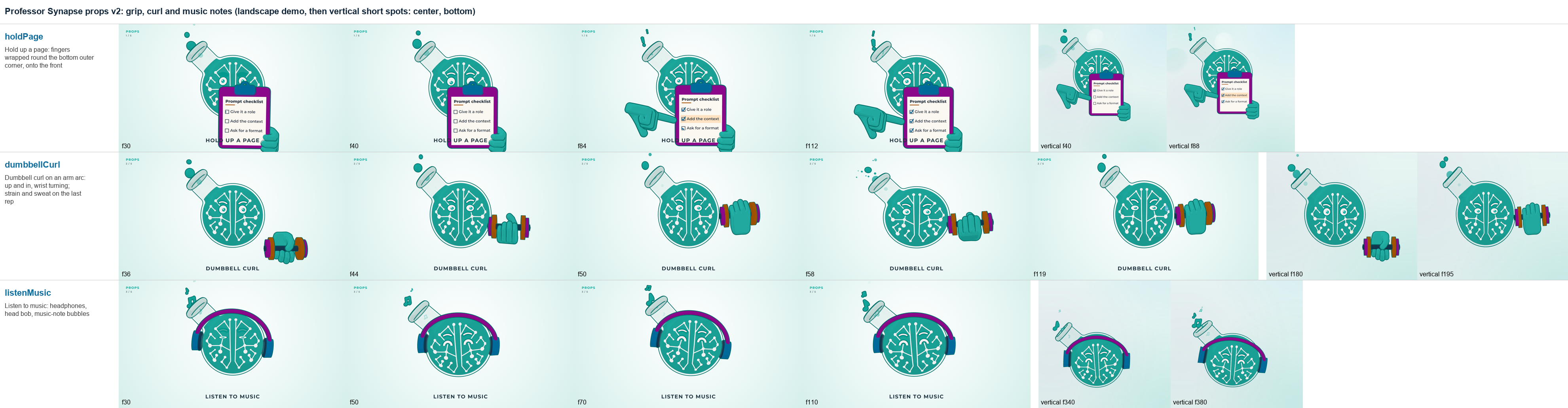
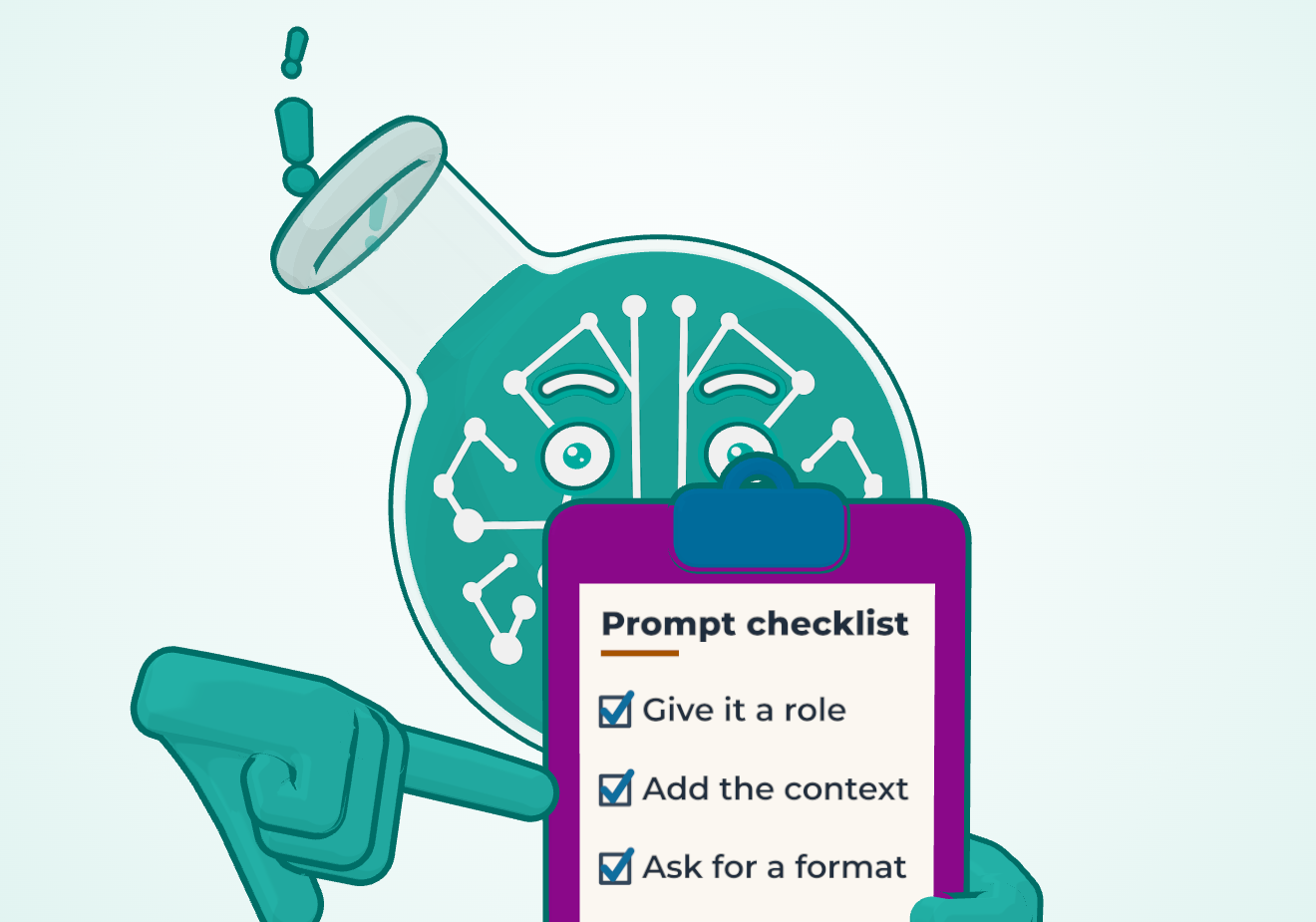
Props. He has a clipboard, a dumbbell, a plug and socket, headphones, a Bunsen burner on a tripod, and a crate to hop onto. The clipboard earns its place most often. Its page takes whatever a video needs: a title and up to five short lines, a checklist that ticks itself off, or an image. We keep each line to about 18 characters so it stays readable on a phone. The same clipboard move can show a prompt checklist in one video and the steps of a grant application in the next.
Props follow the brand rules on their own. Teal is the Professor's colour and nobody else's, so his props use the other brand colours: blue, burnt orange, purple, dark slate and cream.
Effects. He has 13 effects to call on, among them a storm cloud, a lightning bolt, a single flash, an electric crackle, a spark, smoke, soot, steam, confetti and a lightbulb. A move like the lightning strike is mostly effects in sequence: the cloud gathers, the bolt lands, one flash, the crackle, then soot and smoke. One effect, a geyser of liquid from his tube, isn't used by any move yet. It waits on the shelf until a video needs it.
Some behaviour comes free with every move. His liquid is simulated from how his body moves, so it tips when he slides and bows when he hops, and nobody animates it by hand. His talking mode, which makes him speak along with a voice track, layers underneath any move in the same way.
One place for every setting
Every design decision about the Professor lives in one design file. It holds his colours, proportions and line weights, where his eyes and brows sit, how fast his bubbles rise, the size and colour of each prop, where he stands in a wide or vertical frame, and the tuning of single moves, down to how many times he pumps his fist in rock on and how many push-ups he does by default (three of each).
Everything else reads from that file. Change a colour there and it changes everywhere the Professor appears, in every video rendered from then on. Nobody hunts through dozens of scenes for the old value.
Most brand drift comes from copies: a slightly wrong teal in one slide deck, a stretched logo in another. When there is one place to change something, there is one version of it. It works the same way as keeping a single approved copy of your boilerplate instead of letting everyone paste their own.
The same thinking reaches the video layout. The system records how far each move reaches to the side, above and below him, so a short knows how much room to leave between the Professor and the captions.
Why reusable beats one-off
Reusable parts cost more the first time. A move built to the library's standard is more than an animation. By our own definition, a move is done only when five things are in place: the move itself, its entry in the library, an automatic test, a preview in our demo library, and a line in the written catalog. A check enforces all five.
That standard is what makes the second use nearly free. Once a move is in the library, it shows up in the demo reel and on a contact sheet for review, and any video can ask for it by name.
The library of moves began on September 25 with the small building blocks everything else is made from. On September 27 a batch of twelve new moves landed: six new gestures and body moves, a props system with five prop moves, and the lightning strike. The plug-in move followed a day later. AI agents did most of that building while Joseph Rosenbaum, our founder, reviewed and approved it, and each new move reused pieces that already existed. That reuse is a large part of why so many could arrive so quickly.
For a video, the cost of a move is paid once. The first video that needed a clipboard paid for the clipboard. Every video after it gets the clipboard for the price of a few lines of text. That is what we mean when we say each new video costs less than the last: most of what it needs is already on the shelf.
There is a trade-off. A library only pays off if you use it. For a single animated clip in a one-off campaign, animating that clip directly is faster than building reusable moves. The standard also takes discipline, because a move that skips its test or its preview is a move nobody can trust or find.
The 3D character animation techniques under the hood
Under the hood: the Professor is built with Remotion, a tool that makes video from code, and three.js, which draws 3D graphics in the browser. Every video is rendered frame by frame, at 30 frames a second for shorts. For each frame, the system works out where every setting should be at that moment, then draws him. Each setting keeps its own timeline, so a hand moving never interrupts a slow fill of his flask. When two moves overlap, the second starts from wherever he is, so nothing jumps.
Because everything is worked out frame by frame, a reaction can land on the exact word it belongs to in a voice track. That precision is hard to get from a clip you can only trim.
What reusable character animation teaches any team
You may never animate a flask. The pattern still fits a lot of work organizations repeat: reports, onboarding, grant applications, AI prompts.
- Build parts, not one-offs. Find the steps you repeat and make each one well, once.
- Give every part a clear start and end. Our moves chain because they all begin and end at rest. Templates and prompts chain the same way when each has clear inputs and outputs.
- Keep settings in one place. A single source for your colours, boilerplate or policies stops quiet drift.
- Check parts when they are added. A quick check at that moment is cheaper than a correction after a part has been used ten times.
- Name things. A library helps only if people can ask for what is in it.
This is the same thinking we bring to AI projects with clients: find the work that repeats, and build it once so it can be reused.
Next in the series: what makes an animation read, told through the review rounds on those twelve new moves and what changed between the first try and the approved version.
Want a character like the Professor for your organization, or animated explainers built this way? Let's talk. Book an AI Opportunities Discussion.
Frequently Asked Questions
How do you animate 3D characters?
You build the character as a rig, a 3D model with named controls for things like the eyes, hands and posture, and then change those controls over time. We made that faster by saving common actions as reusable moves that start and end at the same resting pose, so a new scene is mostly a list of moves in order.
How do you create 3D animated characters?
Start from a clear design your audience already knows, such as a shape in your logo, and build it as a 3D model with controls for its face, body and hands. Write its design rules down in one place. Ours was rebuilt from the flask in our logo, and one design file holds every colour, proportion and motion setting.
How do you make 3D character animation?
Plan the scene as a sequence of actions, then pose the character's controls for each action and render the result frame by frame. With a library of reusable moves, props and effects, making a new animation means choosing and ordering pieces that already exist rather than starting from a blank timeline.
What is character rigging?
Character rigging is building the controls that move a character, much like the strings on a puppet. A good rig lets you change one thing, such as where the eyes look or how a hand is posed, without breaking anything else.
Do you need to know how to code to use an animated character like this?
Not to use one. Our moves have plain names, so a video plan can ask for a wave, then a point, then a celebration. Building and extending the rig does take code, and in our case AI agents wrote much of it while people reviewed and approved each batch.
Is a 3D character animation library worth it for a small organization?
It is worth it when the character will appear often, in weekly videos or a steady run of explainers, because each move is paid for once and reused. For a single campaign or a handful of stills, a simple illustration or one commissioned animation is usually the better value.