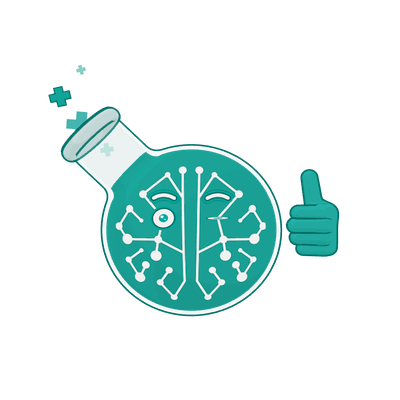
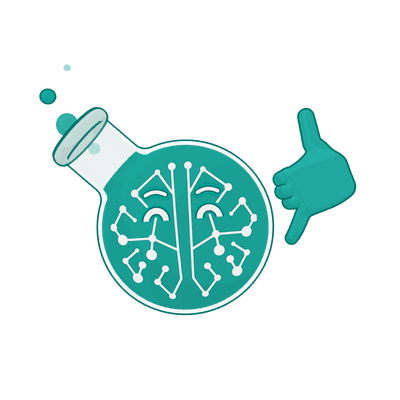
"A blink you can generate is a sketch. A blink you can repeat is a brand." Professor Synapse
On November 4, 2026, OpenAI launched ChatGPT Images 2.6 with a headline feature: "turn a prompt or image into an animated GIF." On November 9 we tried it on Professor Synapse, our brand mascot. Our stable build of Codex returned still PNGs, and only a sprite-sheet workaround got him blinking there. ChatGPT made an animated GIF from one plain-English prompt on the first try. Both versions redrew the Professor, so an AI GIF is a fun prototype, probably not something you'd use for production brand work.
Here is how we got there, what we learned about where to try a launch feature, and how it compares with the way we animate the Professor for real.
What OpenAI announced
OpenAI introduced ChatGPT Images 2.6 on November 4, 2026. Its launch post on X said: "introducing ChatGPT Images 2.6. Now with GIFs and reference images. Plus, two new models are coming to the API with 50% faster image generation." A follow-up post spelled out the GIF promise:
"GIFS! With ChatGPT Images 2.6, turn a prompt or image into an animated GIF. Adjust the speed, edit individual frames, and share it on repeat."
Notebookcheck reported that the model works in ChatGPT, in Codex and through the API, on every plan including the free tier. It also noted that as of November 7, OpenAI's help page still described GIF creation as rolling out. Basic Tutorials put it plainly: the GIF feature "is being rolled out in phases."
For developers, OpenAI's image generation guide documents both formats in the Image API: output_format: "gif" with 2 to 16 frames, and output_format: "svg" on the generations endpoint. We haven't tested the API.
We started in Codex, OpenAI's coding agent, expecting a quick win.
Round one: Codex gave us still PNGs
We gave Codex's built-in image tool our approved master artwork and asked for the real files: an SVG with editable paths, then an animated GIF with a gentle 2-second bob. We started with our circle logo, which came back as a PNG, then switched to the full flask character. The result didn't change:
- The SVG request returned a PNG, 1198 by 1313 pixels. There were no vector paths to edit.
- The GIF request returned a PNG with exactly one frame. There was no loop and no frame timing.
The redraws were recognizably the Professor but not our artwork. The glass and neck shading changed, the saturation changed, the rings around his eyes changed, and his circuit branches shifted. The tool never said which model it ran, and it offered no setting for output format or animation: just a prompt, reference images and a transparent background option.
Why Codex said no
The marketing said GIFs and our tool said PNG, so we went looking.
The answer is in Codex's public code. On November 3, OpenAI merged a change titled "Add optional animated GIF output to image generation". Its description says the feature is gated "behind features.image_generation_animation, disabled by default," and Codex's source marks that setting as under development.
That change isn't in the stable release we ran. Our machine had codex-cli 0.167.0, the latest stable version on Codex's releases page as of November 9. The GIF code ships only in pre-release alpha builds such as 0.168.0-alpha.7 and 0.169.0-alpha.6. So the headline was true for ChatGPT, but in stable Codex the GIF option wasn't switched on yet.
Round two: the sprite-sheet hunch
We found that answer later. At the time, still stuck with PNGs, we had a hunch: maybe an AI-made GIF is really a grid of frames that code stitches into a loop. Animators call that grid a sprite sheet. When we read the Codex change afterward, it mentioned the same idea, adding "guidance for simple animations and spritesheet-based GIF edits." We haven't seen OpenAI's internal pipeline, so we won't claim more than that.
We asked Codex for one image holding nine frames of the Professor blinking in a 3x3 grid, described frame by frame, with frame 9 matching frame 1. It took three attempts: a transparent background (stray cyan and green specks), a plain white background (cleaner, but more shape change), and a stricter prompt asking for one master flask copied into all nine cells. The third sheet was our best.
Every sheet split cleanly into nine equal squares. Our script cut the grid apart, lined the frames up, and saved a GIF that loops forever: 9 frames, 180 milliseconds each, 1.62 seconds per loop. Round two took about 8.5 minutes, including notes and review.
The catch: every frame is a redraw
We asked for his body to stay locked while only his eyes and bubbles moved. It didn't stay locked, because each cell is a fresh drawing:
- He drifts. Before alignment, the center and bottom of his flask moved by up to 6 pixels sideways and 2 pixels vertically, partly because the flask changed shape. Code can shift frames back into line.
- He changes shape. His flask's width ranged from 308 to 320 pixels across the frames, and its height from 326 to 342. Shifting can't fix that.
- The details wander. Shading, color and circuit lines change a little in each cell, and some closed-eye frames lose the rings around his eyes.
- The loop doesn't quite close. The last frame doesn't match the first, so the jump back to the start isn't seamless.
OpenAI's guide lists this as a known limitation: the model "may occasionally struggle to maintain visual consistency for recurring characters or brand elements across multiple generations."
Then we tried ChatGPT, and it just worked
Then we tried ChatGPT itself. We gave it the same master file we used in Codex and typed one sentence: "create an animated gif of this blinking and bubbling."
It returned an animated GIF on the first try, with the blinking and bubbling we asked for, a playback speed control and a share button. We needed no sprite sheet, no script and no settings.
It also restyled him. Compared with our master, the GIF has a solid black background instead of a transparent one, a slightly darker teal, and more bubbles inside his neck and, in some frames, above it. It does close its loop cleanly: the change from the last frame back to the first is smaller than any change between neighboring frames. We haven't measured the drift frame by frame the way we did round two, but it's the same pattern: every generation is a redraw.
Two lessons
Where you try a launch feature matters. The headline was true in ChatGPT on the day we tested it. It wasn't true yet in stable Codex, where the feature was off by default and alpha-only. When an announcement names a feature, check which product it means and whether your account or build has it yet.
A GIF from a prompt is still a redraw. ChatGPT's version is great for a fun GIF to share on repeat. It still changed how he looks, though, and nothing in a prompt guarantees the same character next time.
How we animate the Professor for real
For brand work, we don't ask an image model to draw the Professor over and over. We built him once as a 3D character in Synaptic Studio, our in-house video setup, and we move him with code. How the Professor Learned to Move covers the details; here is the short version.
- One master character. Every design decision about him, including his colors, his proportions and where his eyes sit, lives in one design file. Change it there and it changes in every video rendered after that.
- Motion written as code. His moves (wave, point, thumbs-up, and dozens more) are named, saved and reused. Each one starts and ends in the same resting pose, and an automatic test checks that it does.
- Calculated frames. For each frame, the system works out where every setting should be, then draws him from the same model. Nothing is redrawn from scratch, so every frame shows the same character.
- Seamless loops. The Professor loops on our website come from the same 3D character. Each runs from rest back to rest, so its last frame flows into its first, and the flask is the same size and in the same place in every frame.
Our 21 approved Professor poses were rendered the same way in Synaptic Studio, at four times their standard size, not upscaled.
The trade-off is real. Reusable parts cost more the first time, and building a rig and a library of moves is real work. For one clip in a one-off campaign, it's overkill. It pays off when your character shows up again and again and has to look the same every time.
Which approach fits which job
Use an AI GIF when:
- You want a fun, shareable loop for social media or an inside joke.
- You're exploring ideas: a mood board, a pitch, or whether a mascot could have a personality.
- You want a quick prototype to show a designer or animator what you mean.
Use a rig, or a person working from your master files, when:
- The asset carries your brand: your website, product, ads, or anything with brand guidelines.
- The same character must appear again and again and look identical each time.
- You need quality and control: exact brand colors, a transparent background, the same character in every frame, and a file you can change and render again later.
Try it yourself
The easy path: ChatGPT. Upload your approved artwork and ask, in plain words, for an animated GIF of a small motion, like "create an animated gif of this blinking and bubbling." The GIF feature is rolling out in phases, so your account may not have it yet. Compare the result with your original before you share it: check the background, the colors, and anything the model added.
In Codex: as of November 9, GIF output needs a pre-release alpha build with the experimental features.image_generation_animation setting turned on. It's marked under development, so expect changes.
The fallback for any image tool: a sprite sheet plus code. This works today with tools that only return still images.
- Give the tool your master PNG as the reference.
- Ask for exactly 3 columns by 3 rows of equal square cells, no gaps or labels, a plain white background, and the whole character in every cell.
- Describe the motion frame by frame, and ask for the last frame to match the first.
- Slice and assemble the frames with the script below (Python plus
pip install pillow). - If the character jumps around, shift each frame so its base lines up. An AI coding assistant can write this step.
- Review every frame against your master before posting.
from PIL import Image

sheet = Image.open("sheet.png").convert("RGB")
cols, rows = 3, 3
w, h = sheet.width // cols, sheet.height // rows

frames = []
for r in range(rows):
    for c in range(cols):
        frames.append(sheet.crop((c * w, r * h, (c + 1) * w, (r + 1) * h)))

frames[0].save(
    "loop.gif",
    save_all=True,
    append_images=frames[1:],
    duration=180,  # milliseconds per frame
    loop=0,        # 0 = loop forever
)
On our third sprite sheet, this produced a 9-frame GIF at 180 milliseconds per frame that loops forever. It keeps the white background; removing it is an extra step.
Our verdict
ChatGPT Images 2.6 delivers on its GIF headline, at least in ChatGPT: one sentence got the Professor moving. In stable Codex, the sprite-sheet trick got us there with a little code. Either way, it's a fun prototype and not something we'd use for production brand work, because every generation is a slightly different Professor.
For anything that carries your brand, build the character once and move it with code, or work with someone who will. AI image tools are good at showing you what's possible. A rig gives you the same Professor every time.
Frequently Asked Questions
Can ChatGPT make GIFs?
Yes. Since the November 4, 2026 launch of ChatGPT Images 2.6, you can upload an image or write a prompt and ask for an animated GIF. Coverage reports the feature is rolling out in phases, so some accounts may not see it yet. In our test, one plain-English prompt produced a GIF on the first try.
Why did Codex return a still image instead of a GIF?
In our stable Codex build (0.167.0), GIF output wasn't available. OpenAI's Codex change that adds it is turned off by default behind an experimental setting and, as of November 9, ships only in pre-release alpha builds.
Will an AI-generated GIF look exactly like my mascot?
Not in our tests. ChatGPT's GIF changed our Professor's background, color and bubbles, and our sprite-sheet frames drifted in size, shading and circuit lines. OpenAI's own guide lists consistency for recurring characters and brand elements as a known limitation.
What is a sprite sheet?
A sprite sheet is a single image holding several frames of an animation in a grid. Code cuts the grid apart and plays the frames in order. It's a practical way to get related frames out of an image tool that returns one image at a time.
Is an AI-generated GIF good enough for brand assets?
For a prototype, a mood board or a casual social post, it can be. For your website, ads or anything covered by brand guidelines, we wouldn't use one. The character drifts, colors shift, and you can't count on the same result twice.
Do you need to code to make a GIF with AI?
Not in ChatGPT, if your account has the GIF feature. For the sprite-sheet fallback, slicing the grid and saving the GIF takes under twenty lines of Python, shown above, and an AI coding assistant can write or adjust them for you.