"The wise apprentice does not memorize every incantation. They learn which questions to ask, and whom to ask them of."
Professor Synapse
The easiest way to install ArtCraft is to let your AI agent do it. Check the short list of prerequisites below, paste our install prompt into an agent that can run commands on your computer (such as Claude Code), and it will download the official ArtCraft Launcher, verify the file, install it, and help you open PhotoCraft, the suite's free Photoshop alternative. If you prefer clicking, the manual steps are here too.
We tested every step on a Mac on October 15, 2026, and this guide shows exactly what we did.
What is ArtCraft?
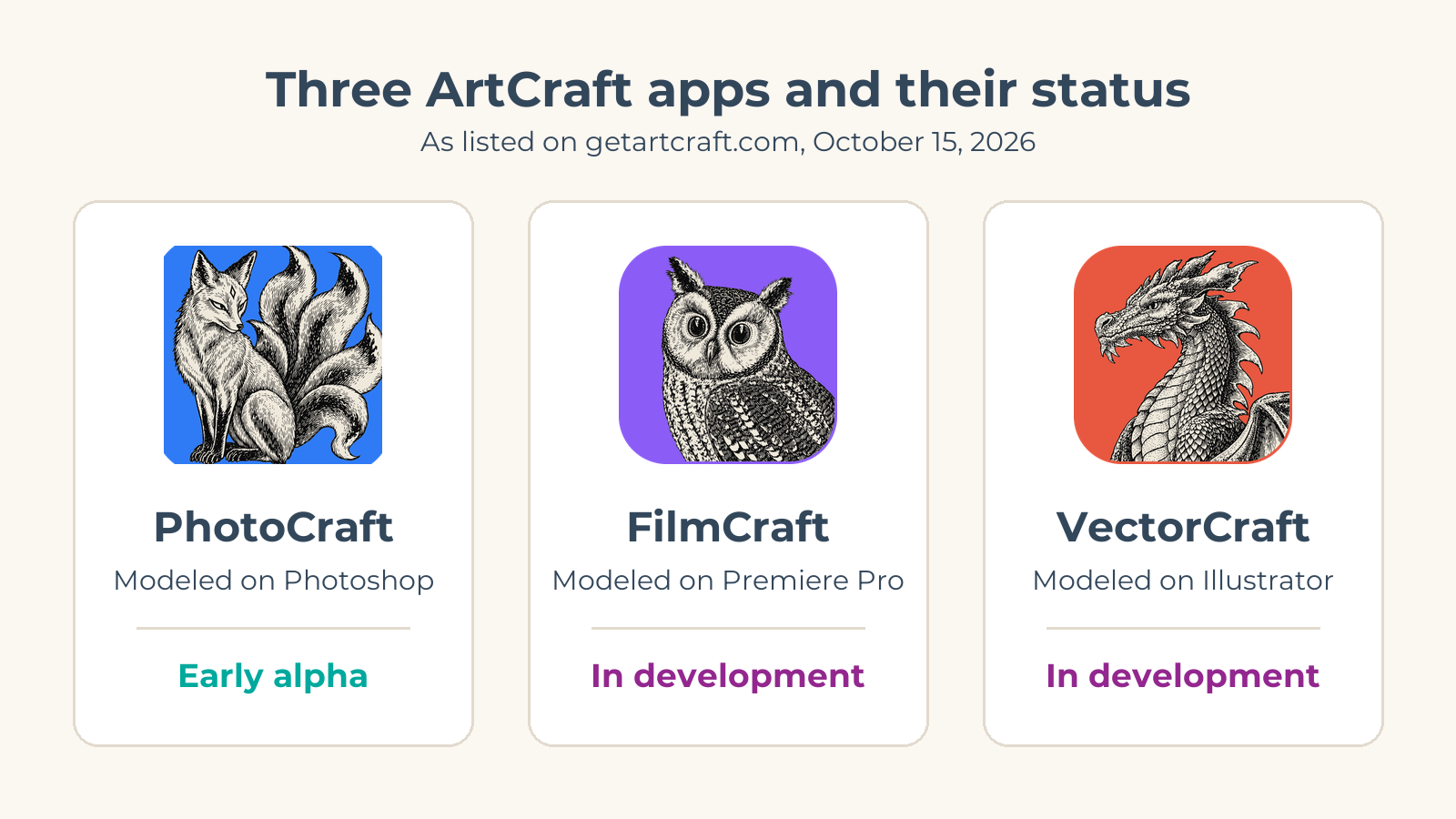
ArtCraft is a free, open source family of creative apps written in the Rust programming language. Its developers describe each one as a "clean-room" rebuild of a familiar professional tool, meaning it was written from scratch rather than copied. The apps that matter most to people leaving Adobe are:
| ArtCraft app | Familiar tool it is modeled on (per each app's GitHub page) | Status on getartcraft.com (October 15, 2026) |
|---|---|---|
| PhotoCraft | Adobe Photoshop | Early alpha |
| VectorCraft | Adobe Illustrator | In development |
| FilmCraft | Adobe Premiere Pro | In development |
| LightCraft | Adobe Lightroom | In development |
| PdfCraft | Adobe Acrobat | Early alpha |
| EffectCraft | Adobe After Effects | In development |
| DesignCraft | Adobe InDesign | In development |
The full suite has 13 apps, including word processing, slides, spreadsheets, audio and CAD tools. You do not install them one by one. A small app called the ArtCraft Launcher lists them all, installs the right version for your computer, and keeps them updated.
You may also see "ArtCraft" used for a separate app: an AI studio for generating and composing images and video. The creative apps are free to use. The AI studio is free and open source too, with optional paid plans (from $10 a month as of October 2026) that buy credits for image and video generation. This guide covers the free creative apps.
An honest word about "alpha"
If you are searching for a free Photoshop alternative to use for client work tomorrow, set your expectations now. The PhotoCraft team says plainly that it "is not yet a Photoshop replacement for daily professional work." Alpha software has rough edges and missing features. It is a great time to explore and give feedback, not yet the time to cancel a subscription your business depends on.
Why we install it agent-first
Installing software from GitHub can feel like walking into a library where every book is in a slightly different language. There are release pages, file names full of version numbers, checksums, and three kinds of installer per operating system.
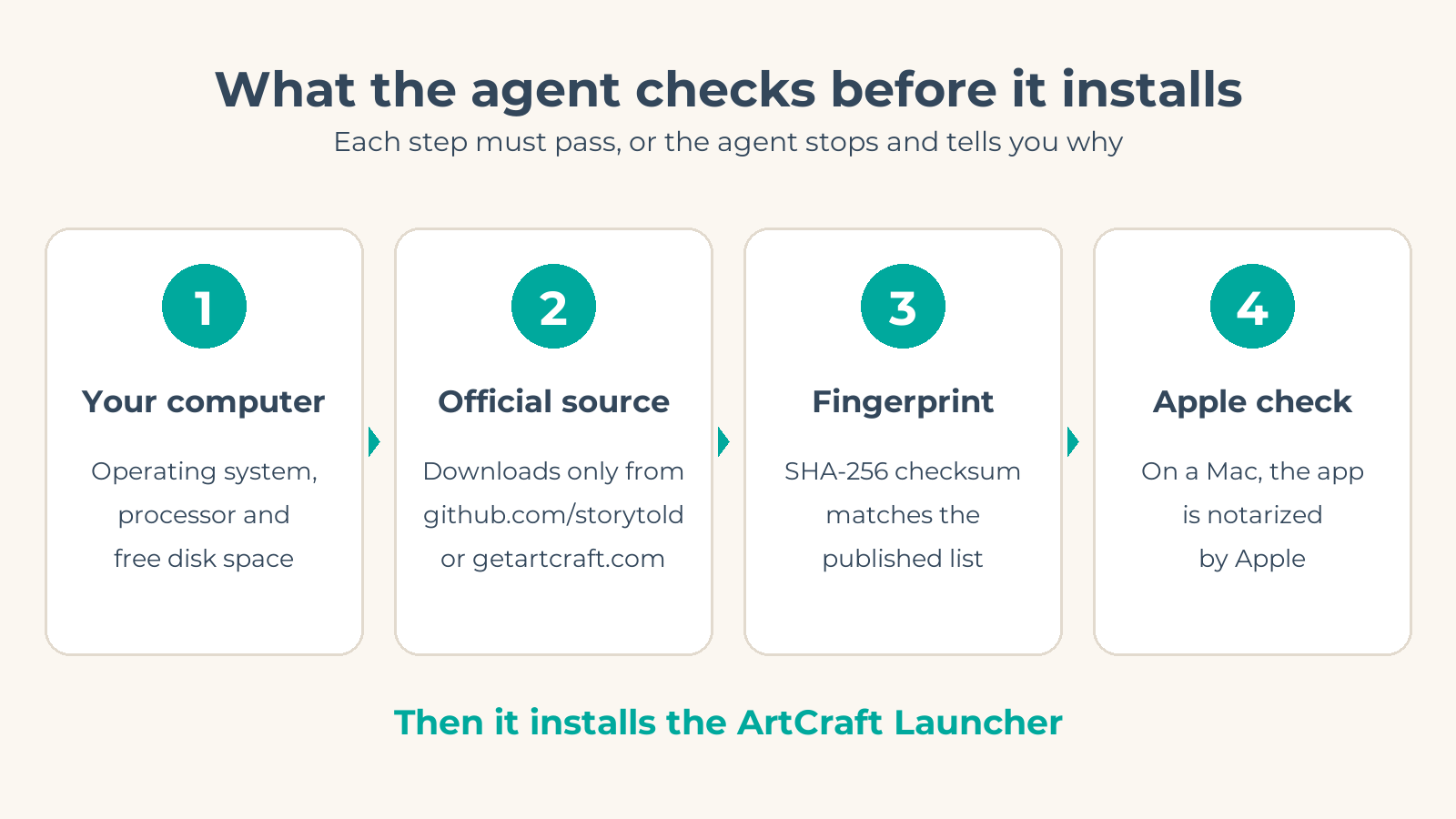
An AI agent reads all of that for you. Here is what it does that most beginners skip:
- Picks the right file. It checks your operating system and processor and downloads the one installer that matches.
- Checks the file is genuine. Every ArtCraft release publishes a list of SHA-256 checksums, a kind of fingerprint for each file. The agent compares the fingerprint of your download with the published one. On a Mac it also confirms Apple has notarized the app.
- Explains as it goes. You watch each step, and it stops to ask before anything that needs your password.
There is a second reason. PhotoCraft was built to be driven by agents. Every menu item is a command, and the app ships a command line tool and an MCP server so an AI assistant can open, edit and export images directly. If MCP is new to you, our guide to agents and the Model Context Protocol explains the idea.
Prerequisites
Before you paste the prompt, make sure you have these. The prompt checks them again, so nothing breaks if you miss one.
- A supported computer. macOS 11 Big Sur or later (Apple silicon or Intel), Windows 10 or 11, or Linux with glibc 2.35 or newer (for example Ubuntu 22.04, Debian 12 or Fedora 36 and later).
- About 1 GB of free disk space. On our Mac the launcher took 40 MB and PhotoCraft 174 MB, and you will want room for more apps and your files.
- An internet connection. The downloads are small: the Mac launcher is about 19 MB.
- An AI agent that can run commands on your computer. Claude Code is what we used. Chat-only assistants in a browser cannot install software for you. Windows users who have not set one up yet can follow our Claude Code for Windows guide first.
- Your computer password, in case the agent needs it. The Windows installer needs no admin rights, and on a Mac copying an app into Applications usually works without a password. On Linux, the .deb and .rpm packages ask for your password.
- About 15 minutes.
You do not need a GitHub account, a paid subscription, or any programming knowledge.
Open your agent
Open your agent in a terminal or in its desktop app. Any folder is fine, because the prompt tells the agent to work in a new folder inside your Downloads folder.
If your agent asks for permission to run commands, that is normal. Read what each command does before you approve it. A good agent explains each one in plain words, and our prompt asks it to.
Paste the install prompt
Copy everything in the box below and paste it into your agent as one message.
You are helping me install ArtCraft, a free, open source suite of creative apps. PhotoCraft is its Photoshop-style image editor. I am a beginner, so before each step tell me in one plain sentence what you are about to do and why.

RULES
- Download only from official sources: github.com/storytold (the craft-launcher and photocraft repositories) or getartcraft.com. Look-alike repositories and "free download" zip files exist. Never use them.
- Do not change my security settings. Do not turn off Gatekeeper, SmartScreen or antivirus.
- Ask me before anything that needs my password or administrator rights.
- If a step fails, stop, explain the error in plain words, and suggest what to try next.

STEP 1: CHECK PREREQUISITES
Tell me what you find for each item:
- My operating system and version, and my processor (Apple silicon, Intel or AMD 64-bit, or ARM).
- ArtCraft needs macOS 11 or later, Windows 10 or 11, or Linux with glibc 2.35 or newer (Ubuntu 22.04+, Debian 12+, Fedora 36+).
- At least 1 GB of free disk space and a working internet connection.
- Whether the GitHub CLI (gh) is installed. If it is not, use curl on macOS or Linux, or Invoke-WebRequest in PowerShell on Windows. I do not need a GitHub account.
If anything is missing, stop and tell me how to fix it.

STEP 2: DOWNLOAD THE ARTCRAFT LAUNCHER
- Find the latest release at https://github.com/storytold/craft-launcher/releases/latest
- Pick the single file that matches my computer:
  - macOS: artcraft-launcher-<version>-macos-universal.dmg
  - Windows: artcraft-launcher-<version>-windows-x64.msi (use windows-arm64.msi on an ARM PC)
  - Linux: the .deb for Debian or Ubuntu, the .rpm for Fedora or openSUSE, or the .AppImage for anything else
- Also download SHA256SUMS.txt from the same release.
- Save both into a new, empty folder called artcraft-install inside my Downloads folder.

STEP 3: VERIFY THE DOWNLOAD
- Calculate the SHA-256 checksum of the installer and compare it with its line in SHA256SUMS.txt. Show me both values. If they do not match, delete the file and stop.
- On macOS, also confirm with spctl that Apple accepts it as "Notarized Developer ID".

STEP 4: INSTALL THE LAUNCHER
- macOS: open the DMG, copy ArtCraft Launcher.app into /Applications, then eject the DMG.
- Windows: run the MSI. It installs for the current user and should not need administrator rights.
- Linux: install the .deb or .rpm with my package manager (ask me first, it needs my password), or make the AppImage executable and move it to ~/Applications.

STEP 5: OPEN IT AND INSTALL PHOTOCRAFT
- Open ArtCraft Launcher.
- Tell me to click Install on PhotoCraft, plus any other apps I want, then click Open.
- Confirm with me that PhotoCraft opened.

STEP 6 (OPTIONAL, ASK ME FIRST): GIVE YOURSELF PHOTOCRAFT'S COMMAND LINE TOOL
- On macOS, check https://github.com/storytold/photocraft/releases/latest for photocraft-cli-<version>-macos-universal.zip. As of October 2026 the command line tool is published for macOS only; on Windows or Linux, skip this step.
- Download it with SHA256SUMS.txt, verify the checksum as in Step 3, and put photocraft-cli in a folder on my PATH.
- Run "photocraft-cli --version" and show me one example command that edits a copy of an image.

WHEN YOU ARE DONE
Give me a short summary: what you installed, the version numbers, where each app lives on my computer, and how I open them next time.
That is the whole install. The rest of this guide explains what you will see, and what to do if you would rather not use an agent.
Watch what your agent does
Here is what happened when we ran this on a Mac with Apple silicon:
- The agent found the latest launcher release (version 0.4.1 at the time) and the latest PhotoCraft release (0.9.0).
- It downloaded the launcher and the checksum list, and reported OK when the fingerprints matched.
- It ran Apple's check, which answered "accepted, source=Notarized Developer ID".
- It copied ArtCraft Launcher into the Applications folder. We also had it install PhotoCraft straight from PhotoCraft's own release, verified the same way. With the prompt, you click Install in the launcher instead, which uses the same official package.
- It opened both apps.
- For the optional step, it installed photocraft-cli, ran a test edit (a Smart Sharpen and a Curves adjustment on a copy of an image), and connected to PhotoCraft's MCP server, which listed 25 tools.
Your version numbers will be newer. That is expected; the prompt always asks for the latest release.
When something goes wrong
- The checksums do not match. Ask the agent to delete the file and download it again. If it still does not match, stop and do not install it.
- "Unrecognized image format" from the command line tool. The test file was not a real image. Ours was a placeholder that our file sync had not downloaded yet. Ask the agent to use a photo that opens normally on your computer.
- The app will not open on a Mac. Do not disable Gatekeeper. Ask the agent to rerun the spctl check. If the app is not notarized, you have the wrong file.
The manual route (no agent)
If you prefer to click, here is the same process by hand.
- Go to getartcraft.com/apps and choose the ArtCraft Launcher download, or open the launcher's latest GitHub release.
- Download the file for your computer: the .dmg for a Mac, the .msi for Windows, or the AppImage, .deb or .rpm for Linux.
- Mac: open the .dmg and drag ArtCraft Launcher into Applications. Windows: double-click the .msi. Linux: install the package, or make the AppImage executable and run it.
- Open ArtCraft Launcher, click Install next to PhotoCraft, then Open.
The manual route skips the checksum comparison, which most people never do. The agent-first route does it for you.
A note on safety
New, popular free software attracts imitators. As of October 2026, several look-alike GitHub repositories offer "official free download" zips of ArtCraft apps such as PhotoCraft, WordCraft and PdfCraft for Windows. None of them come from the ArtCraft team. The official sources are getartcraft.com and the storytold organization on GitHub. Our prompt tells your agent to use nothing else, and the checksum step catches a tampered file.
What to try next
Once PhotoCraft opens, give yourself three small wins:
- Open a photo and add an adjustment layer. Try Curves or Vibrance. Your original pixels stay untouched, so you can experiment freely.
- Open a PSD file. PhotoCraft opens and saves layered Photoshop files, and its team reports that re-saving keeps the render of 307 of 309 files in a standard test set.
- Ask your agent to edit an image for you. If you installed photocraft-cli (macOS only for now), try: "Use photocraft-cli to make a sharpened, slightly brighter copy of this photo." Then open the copy in PhotoCraft and look at what it did.
When something breaks, and in alpha software something will, report it. The PhotoCraft team asks for your operating system, document size, layer count and a screenshot.
Frequently Asked Questions
What is ArtCraft?
ArtCraft is a free, open source suite of 13 creative apps, including PhotoCraft (modeled on Photoshop), FilmCraft (Premiere Pro) and VectorCraft (Illustrator). It runs on macOS, Windows and Linux. As of October 2026 the apps are in early alpha or in development.
Is there a free alternative to Photoshop?
Yes. PhotoCraft, part of ArtCraft, is free and open source and works with layered PSD files, but it is early alpha software. Longer-established free options include GIMP, Krita and the browser-based Photopea. For professional work today, a mature tool is the safer choice. PhotoCraft is worth installing to explore and to follow as it matures.
What is the best free alternative to Adobe Photoshop?
It depends on what you need. For reliability now, choose a mature editor such as GIMP or Krita. For a familiar Photoshop layout, PSD support and AI-agent control, PhotoCraft is the most interesting new option, as long as you accept alpha-stage rough edges.
Is ArtCraft really free?
Yes. The creative apps are free to use and open source under the MIT or Apache 2.0 licenses. The separate ArtCraft AI studio is also free, with optional paid plans (from $10 a month as of October 2026) that buy credits for AI image and video generation.
Is ArtCraft safe to install?
The official releases are signed. On a Mac they are notarized by Apple, and every release publishes SHA-256 checksums. Download only from getartcraft.com or github.com/storytold, because look-alike download pages exist. Our agent prompt checks the checksum and, on a Mac, the notarization for you.
Do I need an AI agent to install ArtCraft?
No. You can download ArtCraft Launcher and install it by hand in a few clicks. An agent adds the safety checks most people skip, explains each step, and on a Mac can set up PhotoCraft's command line tool so it can edit images for you.